How does StashGrade compare me to other contractors?
StashGrade compares your numbers to anonymous figures from real companies in your trade. Every benchmark needs at least 10 companies behind it, and no company is ever named.
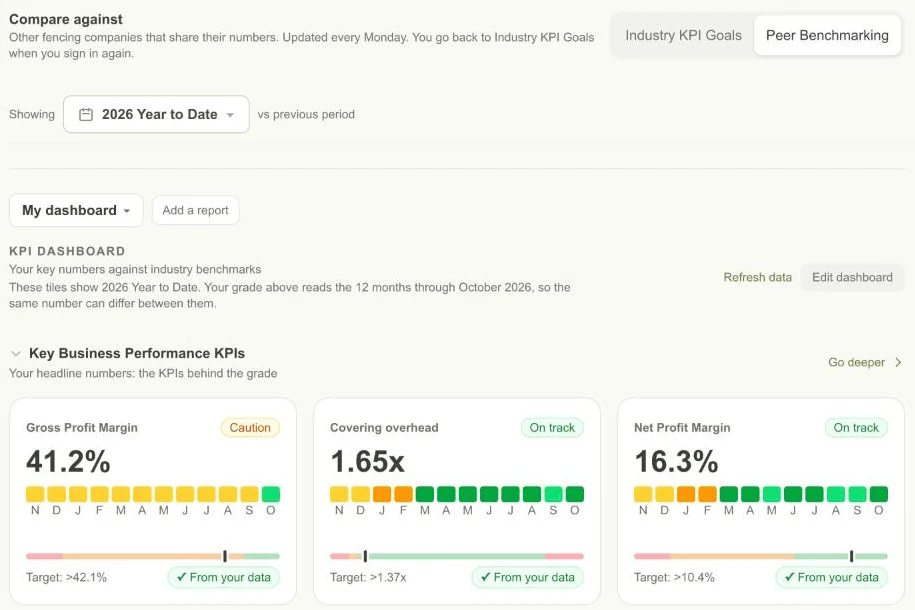
How to read a benchmark
- The median is the company in the middle. Half do better and half do worse.
- The middle half is the range where most companies like yours land.
- Green means you are in a healthy range. Yellow means worth a look.
- On your dashboard, under Compare against, switch to Peer Benchmarking to see companies in your trade. It updates every Monday.
Your data and the benchmarks
- Your figures join the anonymous benchmarks by default, as the Terms describe.
- To opt out, open Settings and turn off “Contribute to anonymous industry benchmarks” under Data Sharing.
- Only an owner or admin can change this setting.
Common questions
Can other customers see my numbers?
No. One company can never see another company’s data. Benchmarks only show figures pooled from at least 10 companies.
Where can I see the benchmarks without an account?
The fence industry benchmarks page shows the latest figures for fence companies.
Related
Written by Justin Judy. Last updated November 25, 2026.