What you get
Everything StashGrade does, the moment you connect
You run the jobs. StashGrade reads the books you already keep and tells you where the money is going and what to do about it. Here's the whole picture.
QuickBooks, CSV, or QBO export. Read-only.
One grade for the whole business
FreeAre you making money, or just staying busy?
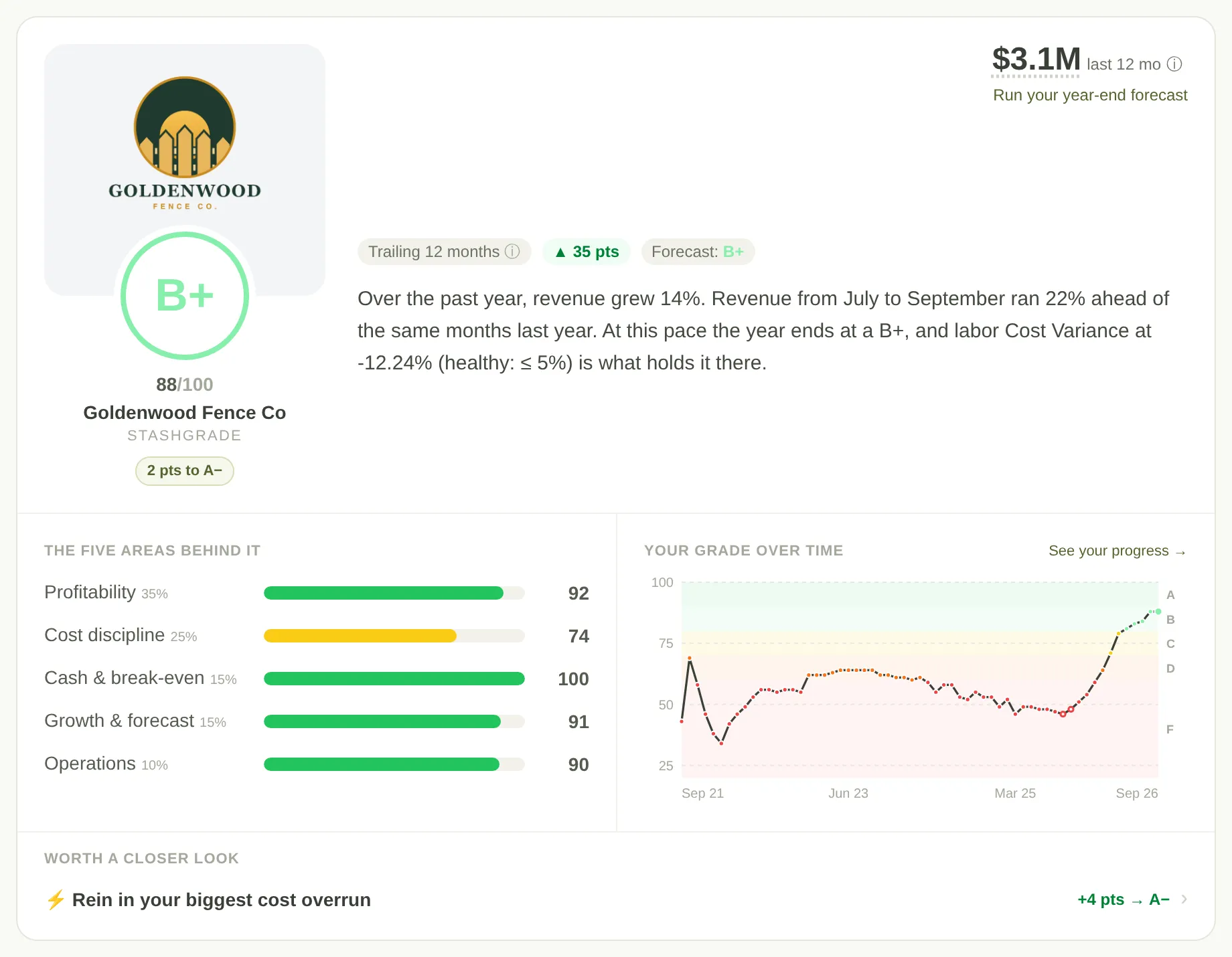
The moment you connect, five things get scored: profitability, cost discipline, cash, growth, and operations.
You see the grade, the points behind it, and the next three moves in order. Each move says how many points it is worth.
When an area needs more history before it can be scored, it says so instead of guessing at a number.
Stop the money leaks
Free · alerts on ProThe bills nobody is watching
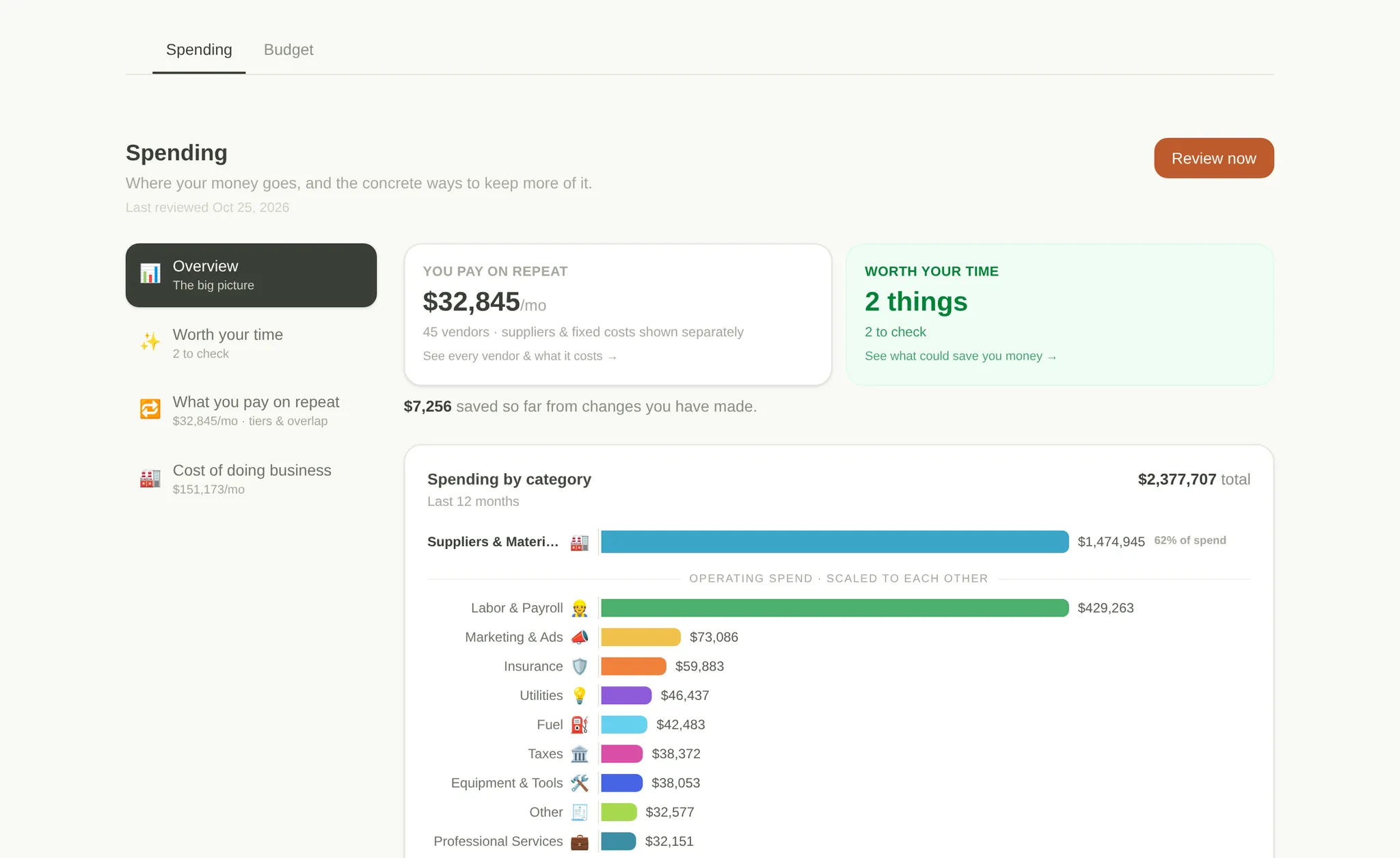
A vendor creeps your rate up. A bill gets paid twice. You're still paying for a tool nobody uses. None of them is big on its own, but together they add up to real money every month.
Spending shows what you pay on repeat, what is worth your time this month, and the exact invoice to call about.
Which jobs actually pay
FreeYour busy season might be your worst season
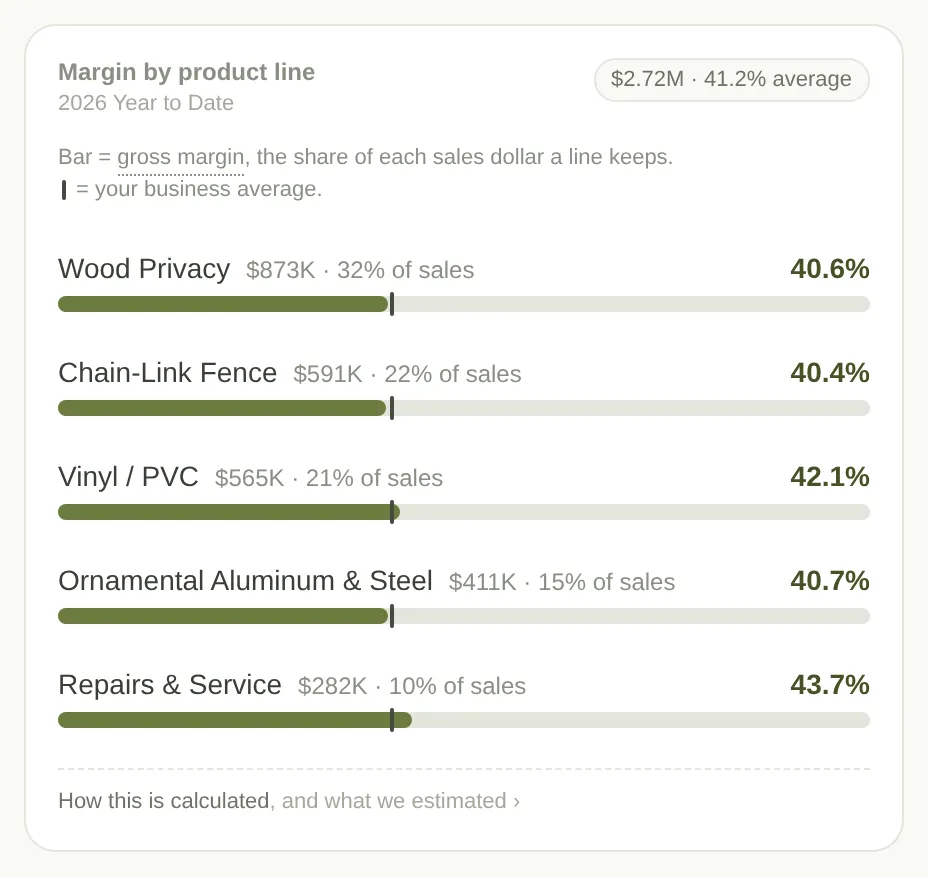
Your overall margin looks fine, so you keep bidding the same way. Split it by job type and one line is losing money on every job, dragging the rest down.
StashGrade shows you which work carries the company and which to reprice or walk away from. Try it on a sample company below.
A real read on financial health, from QuickBooks data · sample company
Birchwood Fence Co.
$7.5M / yrWhat QuickBooks shows, straight from the P&L
The number that lies
Your blended margin hides the loser
One company-wide number looks fine, so you keep bidding the same way. Split it by job type and the average turns out to be winners carrying a line that bleeds on every job.
What your books show
30%
company gross margin
Looks fine
What StashGrade sees
Commercial chain-link lost money on every job. The blended 30% hid it.
Your statements, read for you
FreeSee where every dollar went
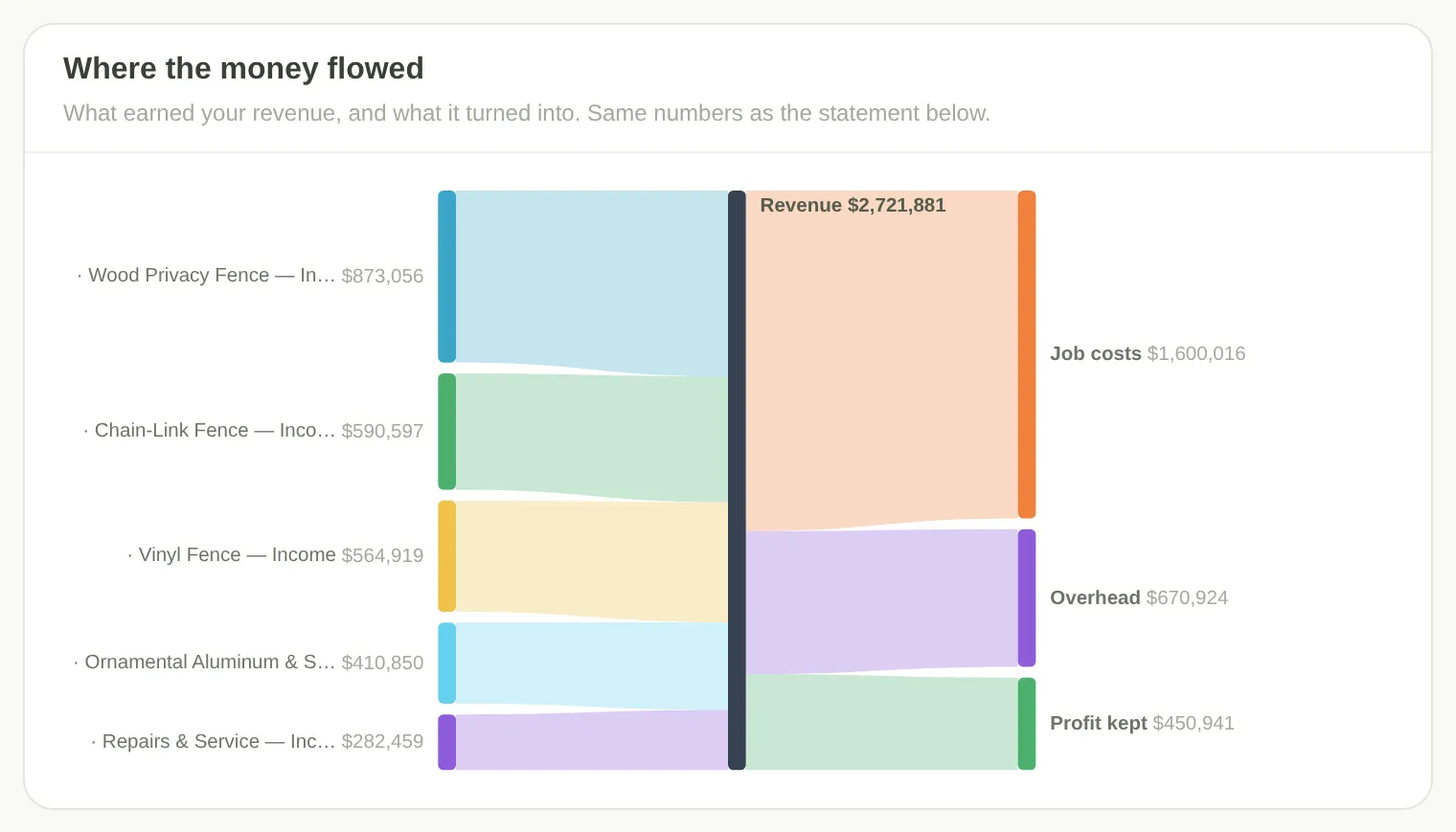
P&L and balance sheet straight from QuickBooks. One chart shows revenue by product line flowing into job costs, overhead, and what you kept.
Flip between cash and accrual with one click. Export any of it to CSV.
Plan the year
ProA budget from your real numbers, in an hour
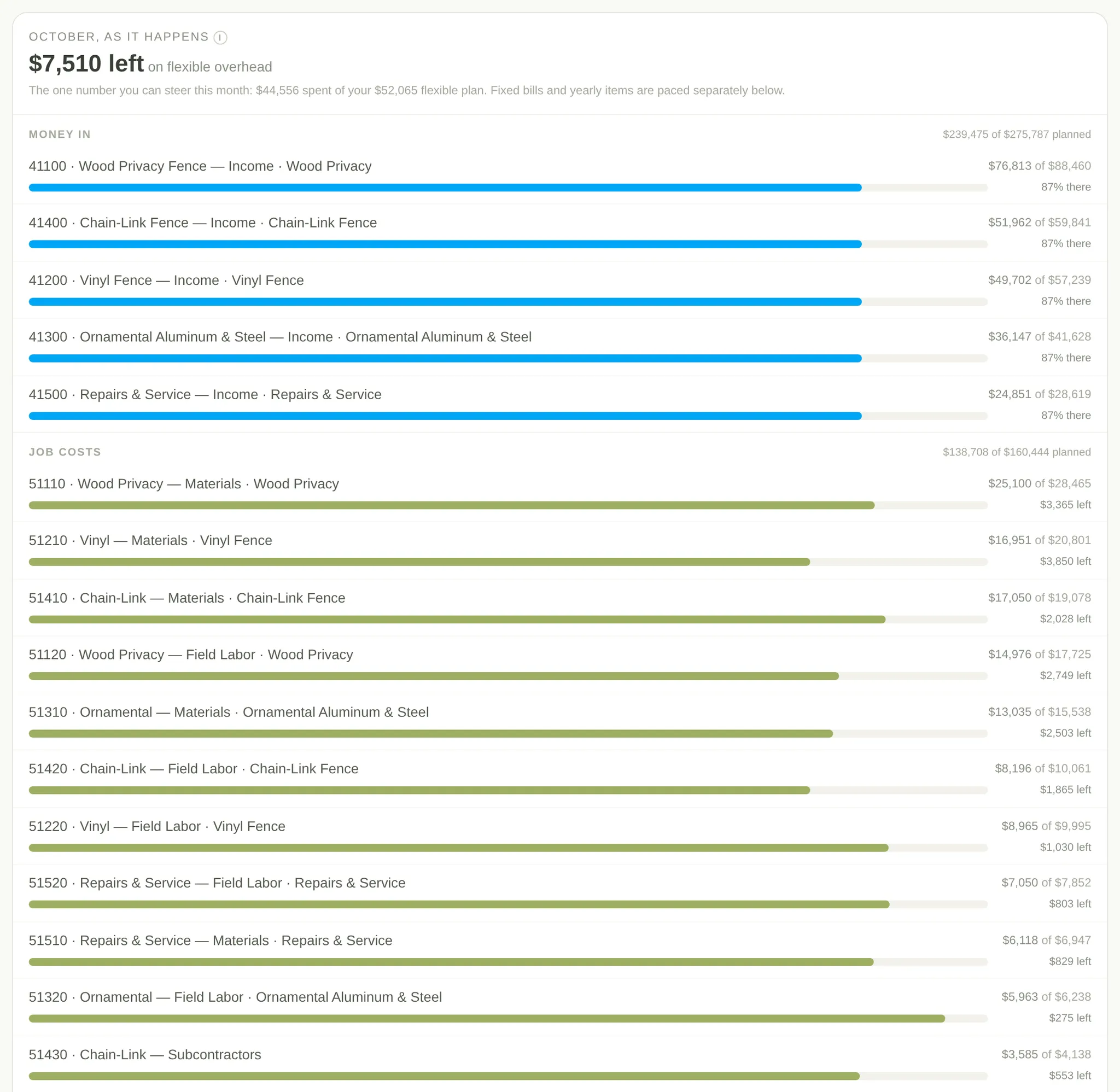
Build a 12-month budget from your trailing twelve months. Targets come from your trade's benchmarks, so you are not guessing at them.
Activate it and the dashboard tracks plan against actual every month.
A finance team in your pocket
ProAsk the coach who has read your books
Business Coach runs on Tony Thornton's playbook and your own numbers. Ask about pricing, owner pay, reviews, or where to focus.
Actions to take ranks the week's moves by dollar impact. In Reports you describe the report you want and it gets built from your KPIs.
What's the single biggest lever for me this quarter?
Collections, by a mile. Your margins are fine, so do not touch pricing yet. Tightening terms and chasing the oldest invoices frees about $90K of cash and moves your grade to A−. Here is the order to work it.
In reports
- Describe the report you want and it gets assembled from your KPIs.
- Or build your own layout and save it for next month.
- Actions to take ranks the week by what each move is worth in dollars.
5 min
from connecting QuickBooks to your first insight
Every $
links to the exact transaction behind it
1 grade
for the whole business, benchmarked for your trade
$0
to start. Read-only. Disconnect anytime.
Contractors who use us



This is the first time we've had a tool that gives us realistic, tangible things that we can do instead of just saying words at us.”
I think this truly is the program I have been waiting for. It lessens my time on reporting so I can spend it on growth and forecasting.”
We've grown fast and we're all wearing a lot of hats. StashGrade gives me quick answers on our numbers without taking time I don't have. I'm blown away with what they've built.”
Track the climb
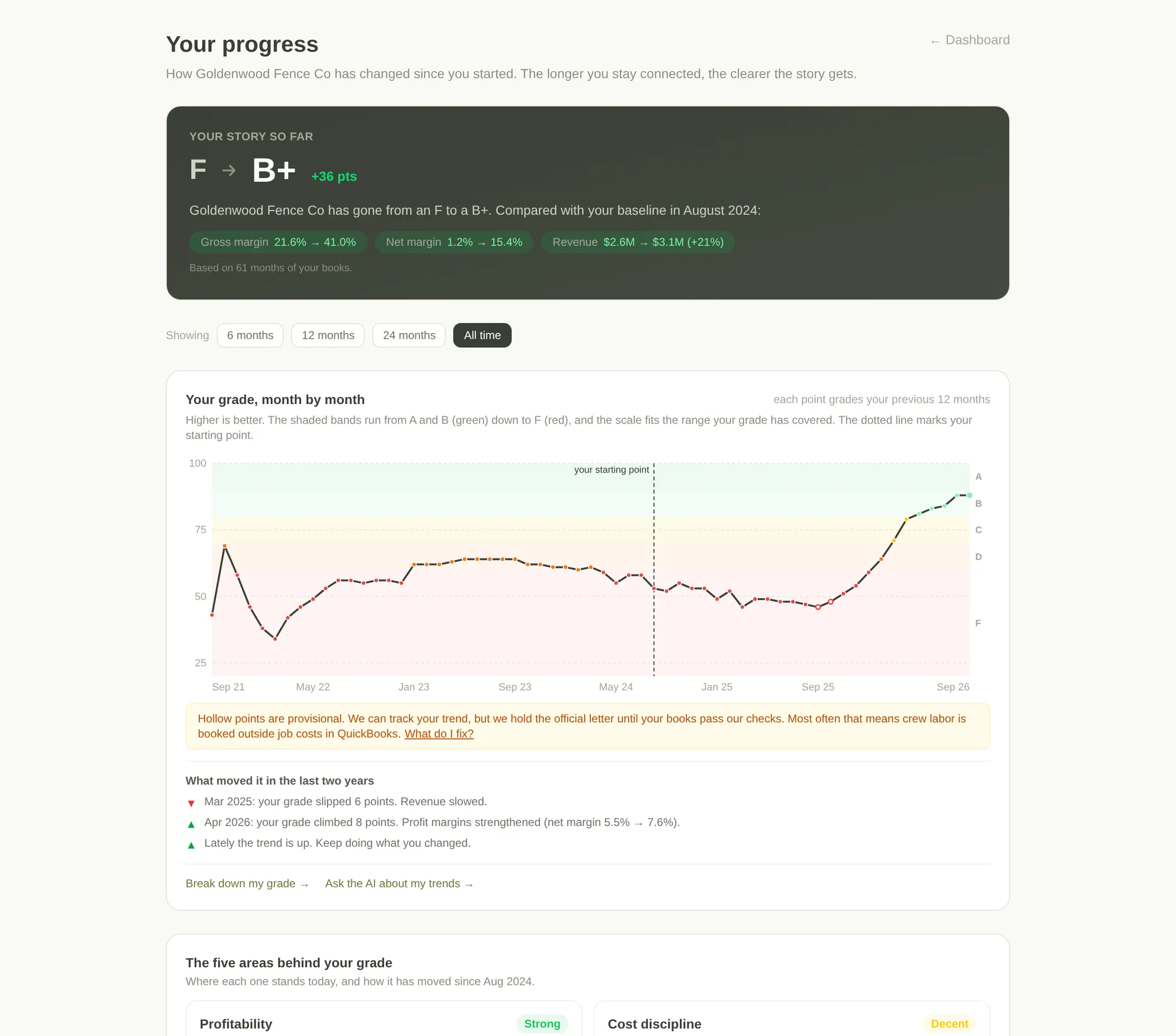
ProYour grade, month by month
See how the business has moved since the day you connected, and what moved it.
Each of the five scored areas gets its own trend, so you can tell which one is dragging the grade down.
What the business is worth
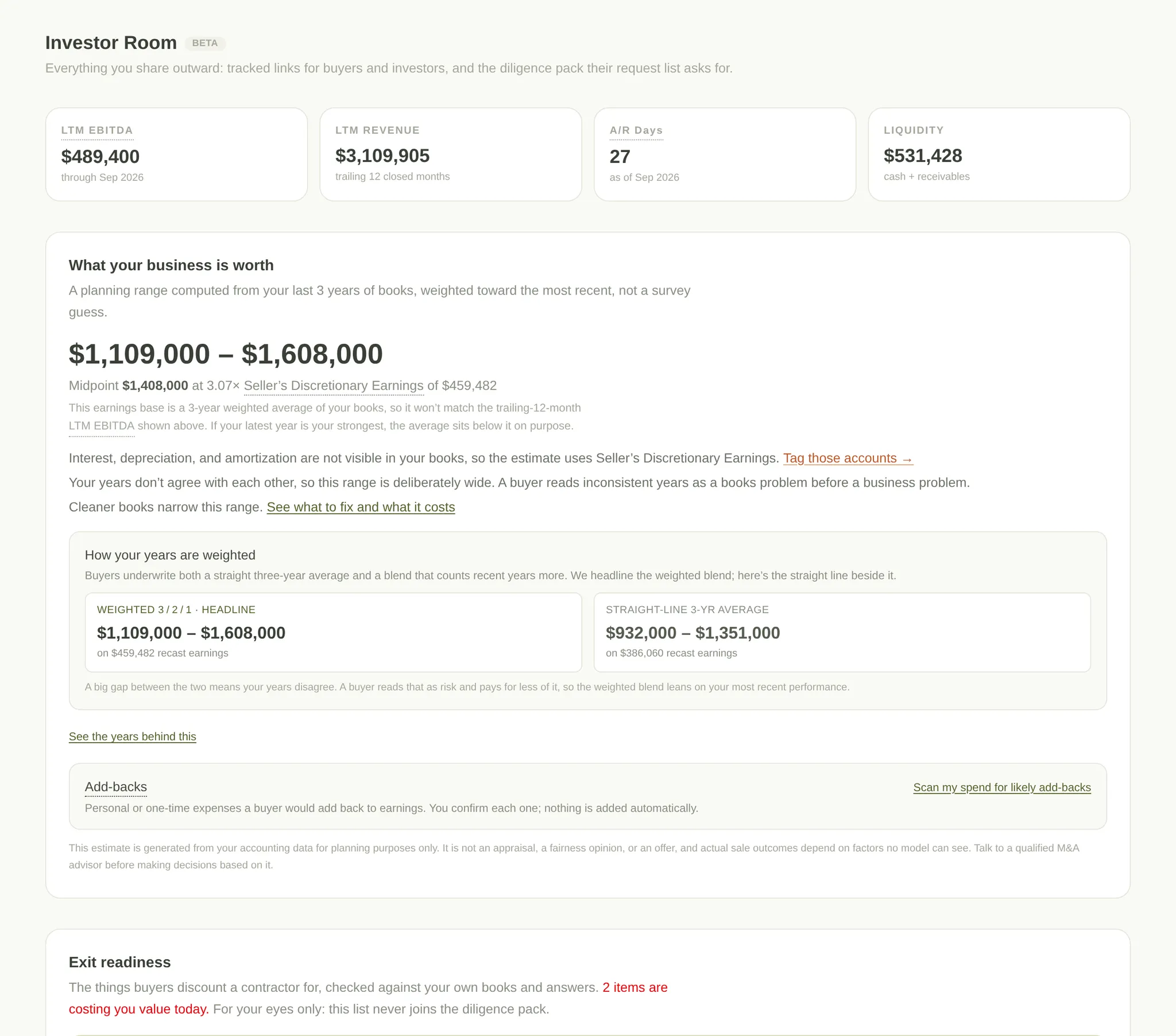
Pro · BetaKnow your number before a buyer does
The Investor Room turns your books into a planning range using Seller's Discretionary Earnings, weighted toward recent years.
You confirm the add-backs. Share a tracked link with a buyer, a lender, or a partner, and the diligence pack goes with it.
For planning purposes only. This is not an appraisal.
Advertising measured in signed jobs
Service, run by However We Got HereCost per signed job, from click to contract
StashGrade Ads runs your Google Ads and reports the one number that matters. What a signed job cost you.
Every change is a decision you approve first. The monthly report is written in plain words, and it ties spend back to the jobs you actually won.
In the ads cockpit
- Cost per signed job, and how the month is tracking against the last one.
- Your service area on a map, with the territory each dollar is buying.
- Every change queued as a decision you approve before it goes live.
In the monthly report
- What you spent and what you signed, in plain words.
- Cost per signed job for the month, next to the months before it.
- What we changed, what it did, and what we are doing next.
When the app finds it, we can fix it
ServiceDone-for-you, ranked by what it is worth to you
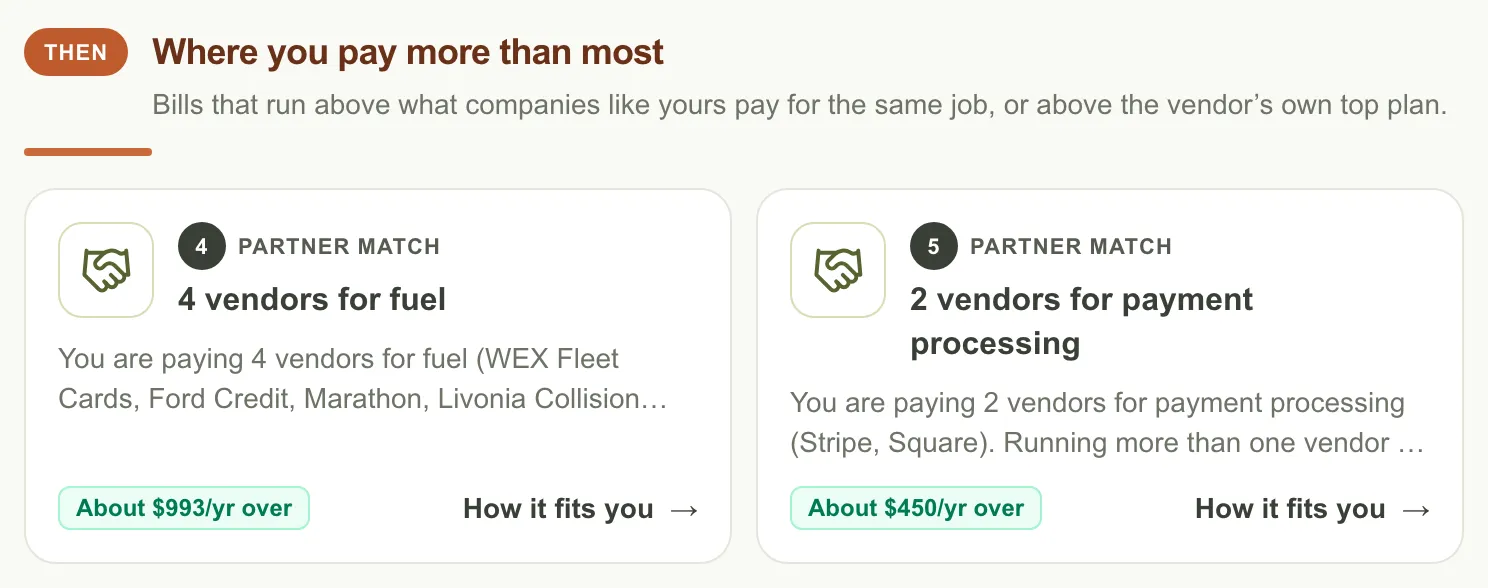
Marketplace ranks savings plays and services from your own numbers: processing fees, bill automation, buying power with your top supplier, fractional CTO, software selection.
Financing checks working capital and invoice options through a lending partner. Nothing touches your credit until you apply.
FAQ
Is this bookkeeping software?
Which plan has the budget and the valuation?
Does StashGrade run my ads?
Can I try it without connecting QuickBooks?
Before you connect: what we can and can’t do
Read-only. We can see invoices, expenses, and your P&L. We do not edit your books or create transactions, and we cannot touch money.
What we never do
- Never sell your data.
- Never share it with anyone unless you opt in.
- Never use it to train public AI models.
Disconnect anytime in one click. Ask us to delete your data and it’s gone.
See it on your own books
Connect QuickBooks, upload a CSV, or export from your job software. First read in minutes, and messy books are welcome.