Is it safe to connect QuickBooks to StashGrade?
Yes. StashGrade’s QuickBooks connection is read-only, so it can never change your books or move money. You approve it on Intuit’s own page, and you can disconnect it at any time.
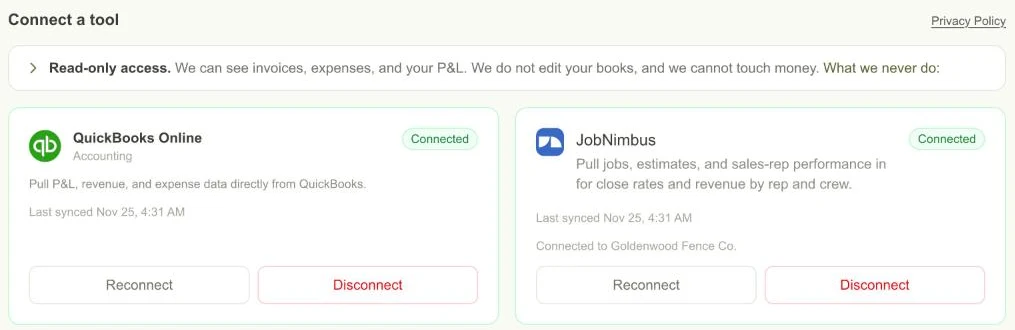
What StashGrade reads
- Invoices, expenses, payroll categories and your profit and loss. That is what builds your grade.
- It does not create, edit or delete anything in your books.
- The same rule holds for every tool you connect, like Jobber or JobNimbus. Read-only.
How your data is kept safe
- You sign in on Intuit’s page with your own login. StashGrade never sees your QuickBooks password.
- The keys to your connection are locked with AES-256 encryption. All traffic uses TLS.
- Each company is walled off in the database itself. A test proves it on every release.
- Your data is hosted in the United States on Vercel and Supabase. Both are SOC 2 Type II certified.
Who can see your numbers
- You, and the people you invite.
- A consultant or coach, only after you turn on sharing in Settings. It is off by default.
- Never another StashGrade customer. Never a buyer or advertiser.
- Your books are never used to train public AI models.
Common questions
Can StashGrade change my QuickBooks?
No. StashGrade’s QuickBooks connection is read-only. It cannot create, edit or delete anything, and it cannot move money.
My CRM already connects to QuickBooks. Is this any different?
It uses the same Intuit approval step. Many CRMs and estimating tools also write invoices into your books. StashGrade only reads.
What happens if I disconnect?
StashGrade’s access ends right away. You can also remove it from your Intuit account. Your QuickBooks stays exactly as you left it.
Can I have my data deleted?
Yes. Email info@howeverwegothere.com and we remove it.
Does StashGrade’s AI learn from my books?
No. The AI runs on Anthropic’s Claude through its business service, which does not train on your data. It is not shared with any public model.
Related
Written by Justin Judy. Last updated November 24, 2026.