How do I use StashGrade without QuickBooks Online?
Xero and FreshBooks connect the same way QuickBooks Online does. QuickBooks Desktop users upload a few reports, and companies with no accounting software fill in a template.
Xero or FreshBooks
- On the welcome screen, look under “Not on QuickBooks Online?”
- Pick Xero or FreshBooks and approve the connection on their page.
No accounting software
- On the welcome screen, pick No accounting software.
- Fill in the template, then open My tools and click Upload reports.
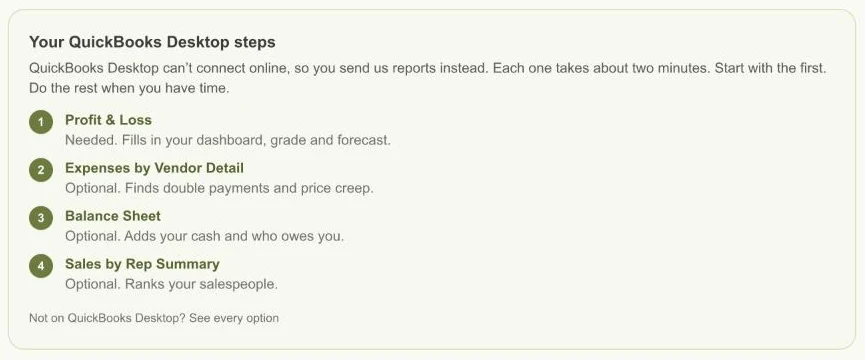
QuickBooks Desktop
- 1In QuickBooks Desktop, open Reports > Company & Financial > Profit & Loss Standard.
- 2Click Customize Report. Set the dates to a full year. Last year is best.
- 3Set “Display columns by” to Month. This gives you month-by-month numbers.
- 4Set Report Basis to Accrual, then click OK.
- 5Click Excel > Create New Worksheet and save the file. On an older version, save it as a .csv file instead.
- 6In StashGrade, open My tools and click Upload reports. Drop in the file. Do the same for each earlier year you want in your history.
Good to know
- Excel and CSV files both work, including exports from Sage 50. You can upload many files at once.
- For better findings, also upload Expenses by Vendor Detail for the last 12 to 24 months.
- Every month you already have stays as it is when you add a new file.
Common questions
Does StashGrade connect to QuickBooks Desktop?
Not directly. QuickBooks Desktop has no online connection, so you upload reports from it instead. On the upload page, click “Show me the Desktop steps” to see each step in Desktop’s own menu names.
How much history should I upload?
Start with last year’s profit and loss by month. Add earlier years to see trends over time.
Related
Written by Justin Judy. Last updated November 25, 2026.