How do I add my team to StashGrade?
Invite people by email from Settings and pick a role for each one. They see your company and nothing else, and you can remove them in one click.
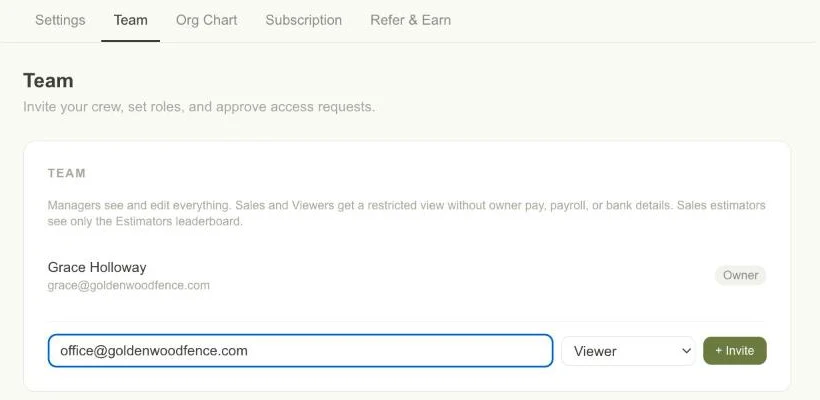
Step by step
- 1Open Settings in StashGrade, then the Team tab.
- 2Type the person’s email address.
- 3Pick their role.
- 4Click Invite. They get an email with a link to join.
The roles
- Manager. Sees and edits everything.
- Sales and Viewer. A restricted view with no owner pay, payroll or bank details.
- Sales estimator. Sees only the Estimators leaderboard.
Good to know
- How many people you can add depends on your plan. See the pricing page.
- Pending invites show under the invite form. Remove one there if you sent it to the wrong address.
Common questions
Can my sales reps see what I pay myself?
No. Sales and Viewer roles never see owner pay, payroll or bank details.
How do I remove someone?
Remove them on the Team tab in Settings. Their access ends right away.
Related
Written by Justin Judy. Last updated November 25, 2026.